
The screenshots show the app in French. In your language, the buttons are in the same place.
Their favourites, their meals, what soothes them
Three tick lists that bring together what matters to your child.
- 5 steps
- 5 min

-
Open the adult area
On your child’s screen, tap the small grey cog at the top right. Enter your adult passcode.The cog, at the top right. -
Favourites
In Personalise, tap Favourites. Turn on the switch for the words they like. The “My favourites” folder appears on their grid as soon as one favourite is switched on.
-
Favourite foods
Tap Favourite foods. Tick the foods they like: these are gathered in an “Eat” folder, so there is no need to search through all of “Meals”.
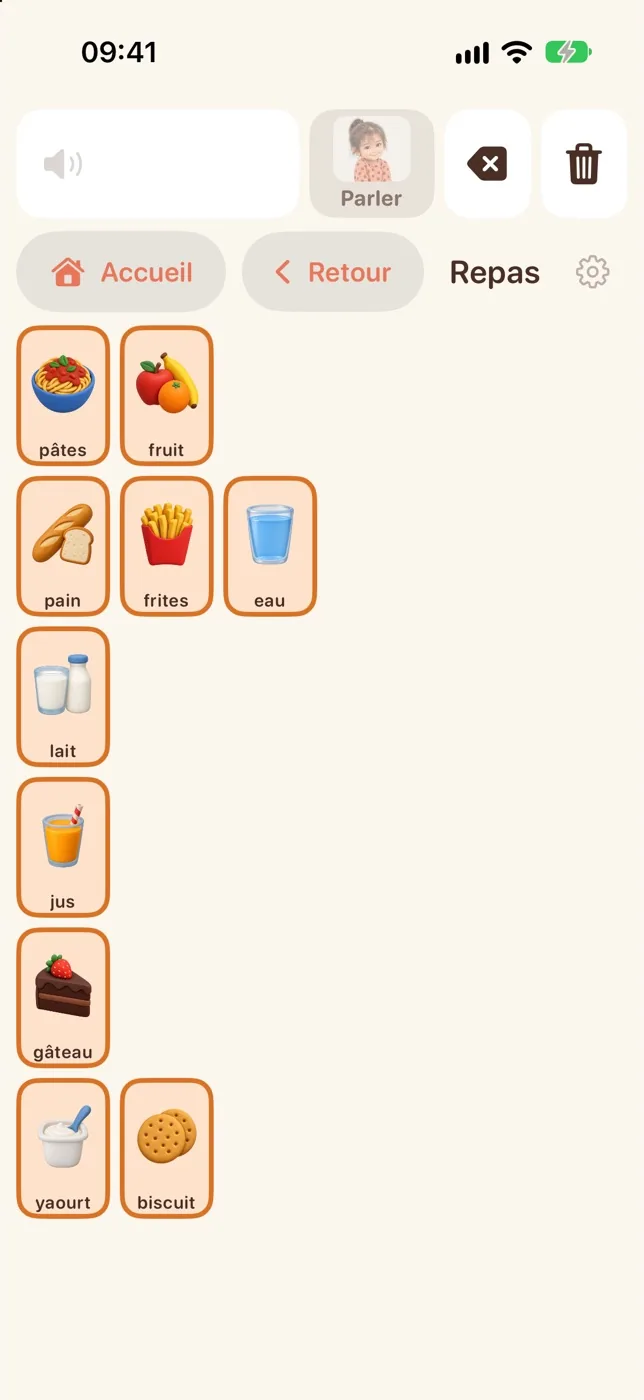
The foods to tick. -
What soothes them
Tap What soothes them. Tick what helps them calm down: a hug, their comfort toy, their headphones… When they say “sad”, “angry”, “scared” or “too noisy”, the app will show them these choices straight away.

-
Something missing?
Each list has its own add button, for example Add a favourite (photo, cuddly toy…). A photo of the object is all you need.

 I
 want
 play
 yes
 no
 Meals
Not working?
The “My favourites” folder doesn’t appear.
It stays hidden as long as nothing is ticked. Tick at least one favourite. The same goes for “Eat”.