



Eight first words
Eight large cells for a gentle start.
More, finished, eat, drink… The words you need ten times a day. The rest of the grid stays hidden until the time is right.
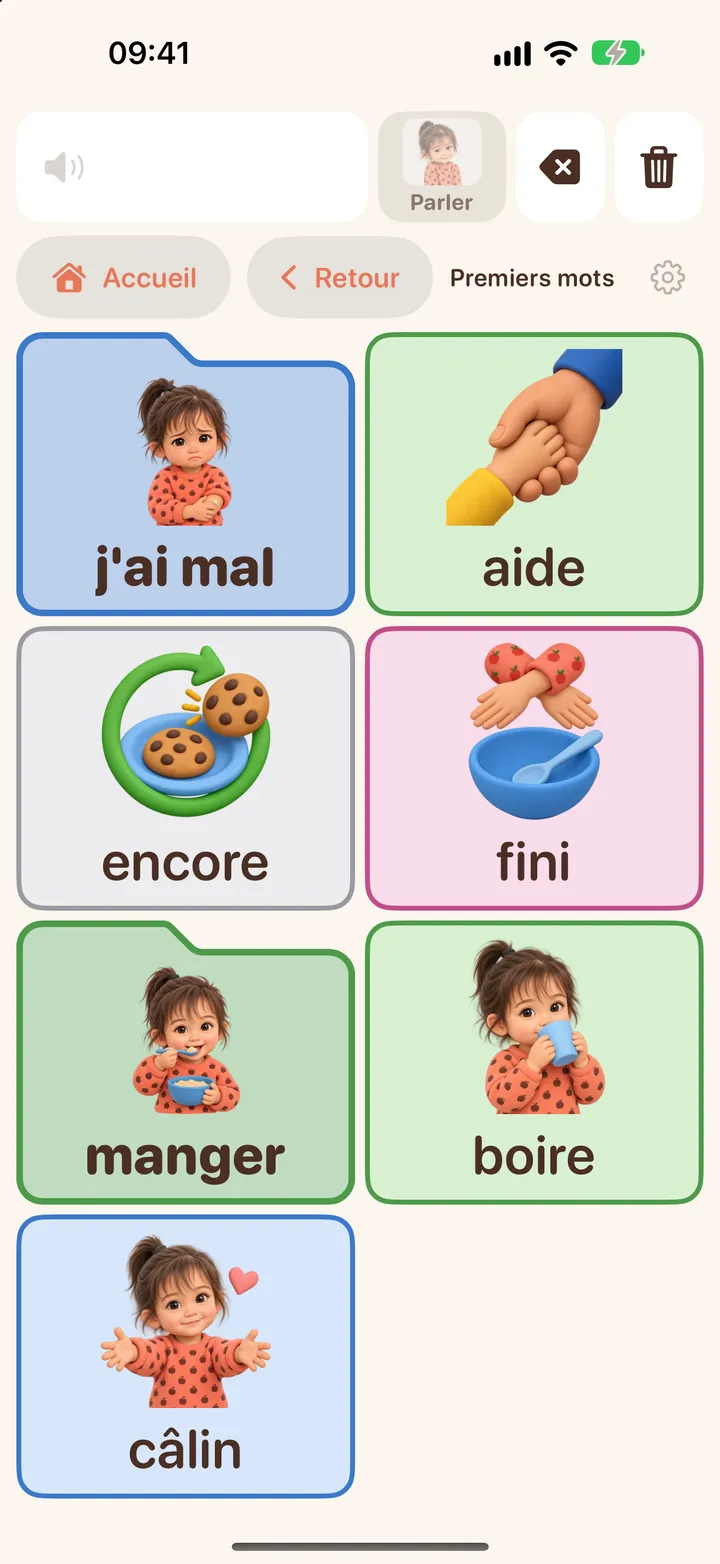
For the child who doesn’t speak, or doesn’t speak yet. They tap a picture, and the app says the word.
Free to download. No account, no ads, no internet connection needed.

This is a sample of the real grid. The voice is your device’s own: nothing is sent over the internet.
Eight large cells for a gentle start.
More, finished, eat, drink… The words you need ten times a day. The rest of the grid stays hidden until the time is right.
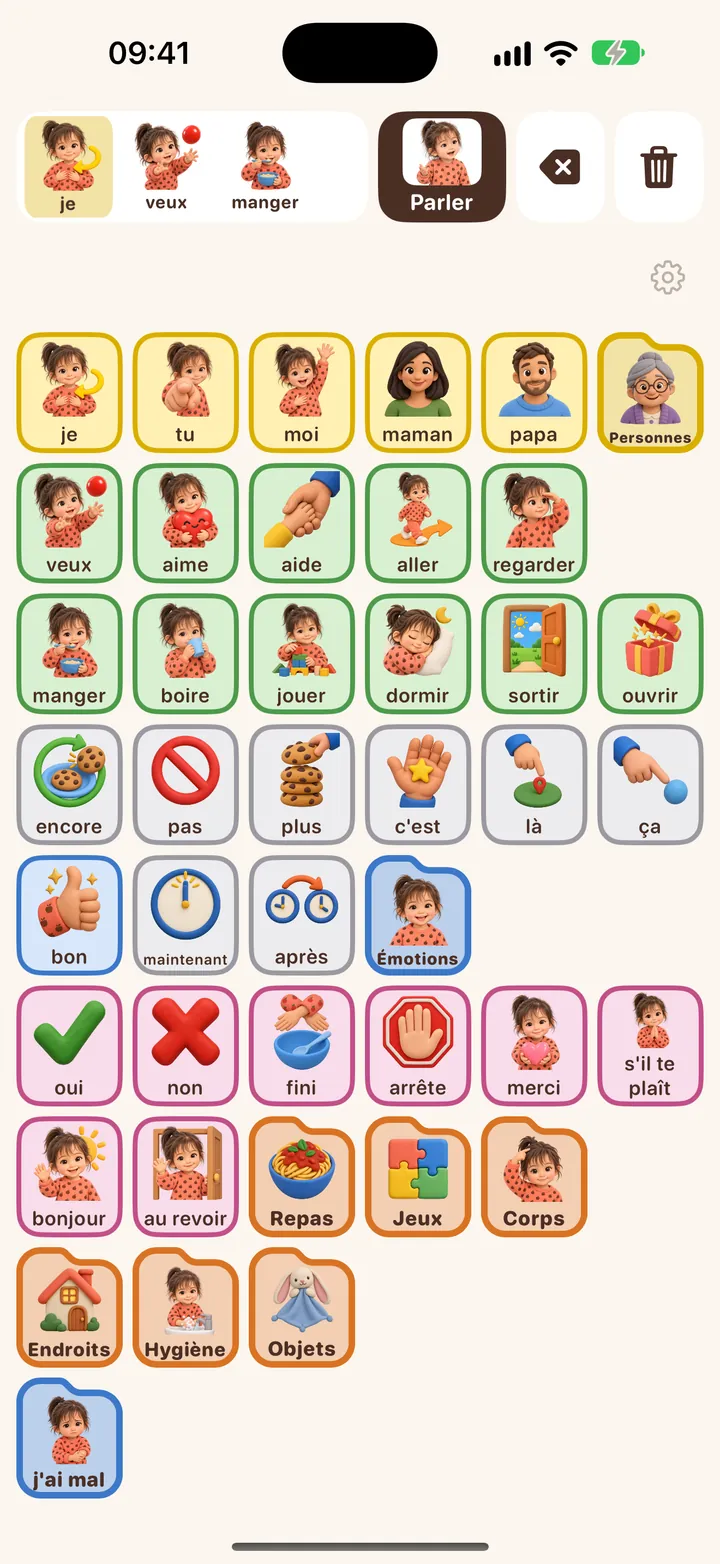
“I want to eat.” Three pictures, one sentence, spoken in full.
Around 300 everyday words, sorted into folders: people, actions, meals, play, body, places, feelings. Each colour is a family of words.
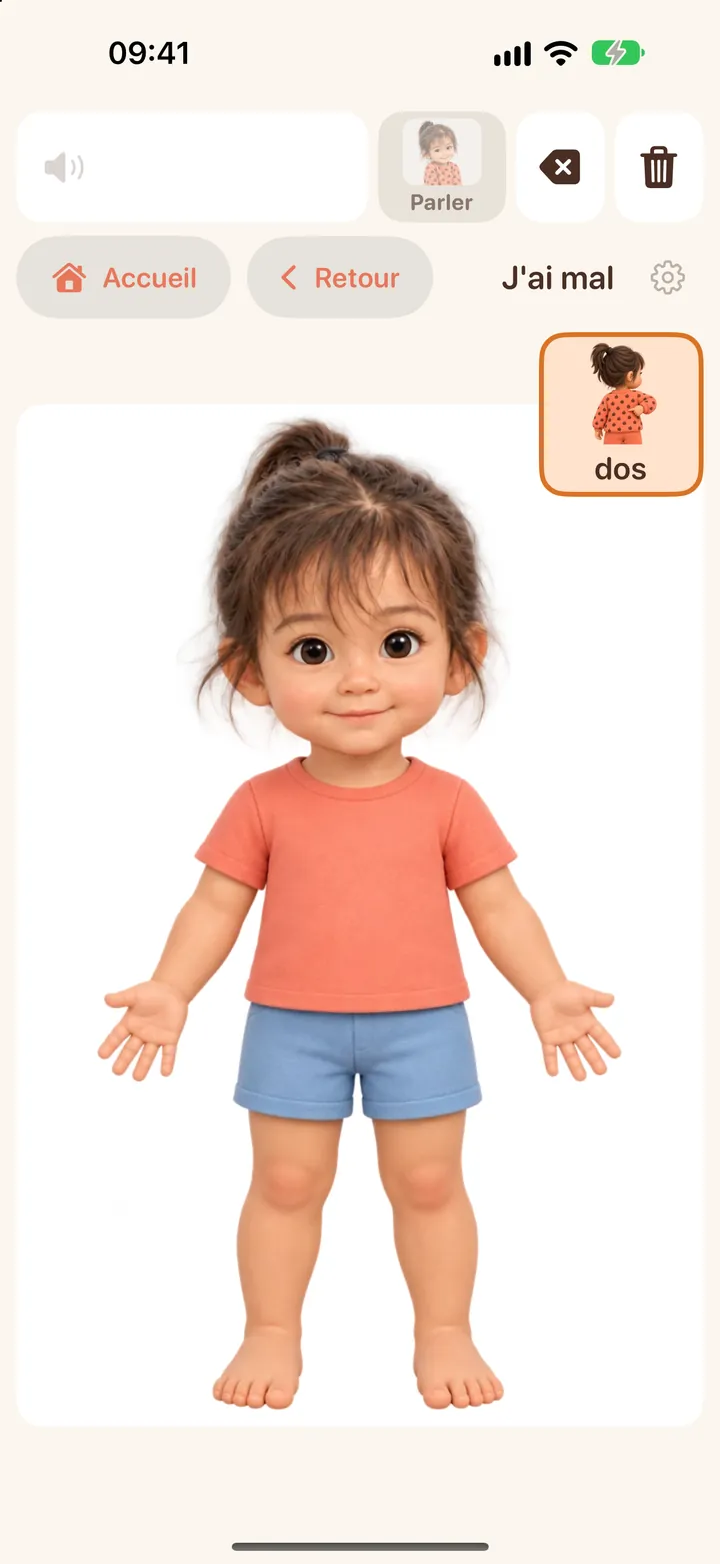
They tap the body in the picture to show where it hurts.
The app says it straight away: you know about it, even if they don’t point to anything afterwards.
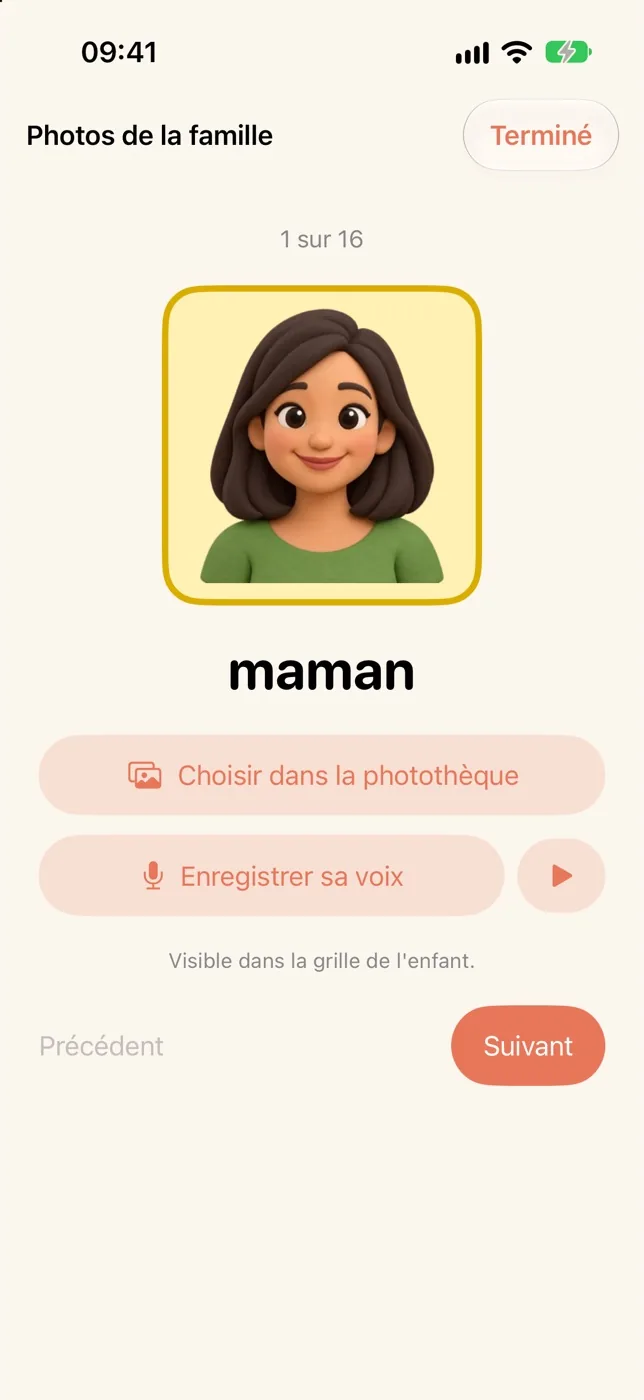
They hear mum’s voice. They see her real photo.
Record each word in the voice of someone close, in the language you speak at home. Eleven languages are included; for any other, your own voice is all you need.
Their day in pictures. Your log. A report for the paperwork.
“My day” shows them what is happening now and what comes next. The carer’s log adds up the time you spend caring and produces a PDF to attach to an MDPH application (the MDPH is France’s local disability office) or to take to the doctor.

You don’t need to set anything up to get started. Here is the order I recommend, with the time each step takes.
Their first word10 min
There is no single reason why a child doesn’t speak. For each situation: what helps in the app, and who to turn to.

Zoé is my daughter. She doesn’t speak.
I built this app for her, with her words, her pictures and her family’s voices. I wanted her to be able to tell us herself what she wants, how she feels and where it hurts.
I then opened it up to every family going through the same thing.
This site exists for one simple reason: many parents write to tell me they can’t get it to work. You are not the problem; it’s up to me to explain things better. So each tutorial moves forward one tap at a time. And if you get stuck, write to me: I reply personally.
Emile
Zoé’s dad, in Sausheim, Alsace, France
emileespi@orionwebdesign.fr
Write to meNo account, no server, no ads, no trackers. The words, photos and voices stay with you.
With or without a subscription, they always keep their grid and all their words.
Nothing is sold on this site. Purchases are made in the app, through Apple or Google.
Prices in France, all taxes included. The price shown by the store before you buy is the one that applies; the trial depends on your eligibility. How to cancel.
Yes, for the child: their grid, their words, the voice and “It hurts” are free, with no time limit. The adult area, which is for personalising (your voice, your photos, new words, backup), is unlocked with a subscription or a lifetime purchase.
No. Once installed, the app works everywhere: in the car, in hospital, on holiday.
This is the most common worry, and AAC (augmentative and alternative communication) professionals say the opposite: giving a child a way to make themselves understood does not stop speech from developing. Talk it over with their speech-language pathologist.
This site is made for you. Each tutorial moves forward one tap at a time, can be read aloud and can be printed. And if you get stuck, an “I’m stuck here” button sends me a message.
They stay on your device. There is no account, no server, no ads and no analytics. Even I can’t see them.
There is no minimum age: “First words” suits very young children. And there is no maximum age either, although the pictures were designed with children in mind.
Free for the child. Ten minutes to get started.